Table of Contents
ToggleYour Shark Rotator vacuum’s reset button is a safety feature designed to protect the motor from overheating and damage. When it trips, it cuts power to the unit automatically, which means your vacuum stops working mid-cleaning. Understanding what triggers this reset, how to properly reset your machine, and what maintenance prevents future shutdowns will save you frustration and keep your vacuum running smoothly. This guide walks you through everything you need to know about your Shark Rotator’s reset button, from diagnosis to prevention.
Key Takeaways
- The Shark Rotator vacuum reset button is a thermal safety switch that automatically cuts power when the motor overheats, protecting your unit from damage.
- The most common causes of reset button trips are clogged filters, blocked airflow pathways, worn brush rolls, and extended runtime without cooling breaks—all preventable through regular maintenance.
- Always let your vacuum cool for 30-45 minutes after a reset before attempting to restart, and address the root cause by cleaning the filter, clearing blockages, and inspecting the brush roll before pressing reset again.
- Establish a monthly filter maintenance routine, empty the dust cup at 75% capacity, and replace the brush roll every 6-12 months to prevent Shark Rotator reset issues from occurring.
- If your reset button trips after just 5-10 minutes of running with a clean filter or won’t stay pressed, contact a professional technician as this indicates an internal motor or electrical fault beyond DIY troubleshooting.
Understanding Your Shark Rotator’s Reset Button Function
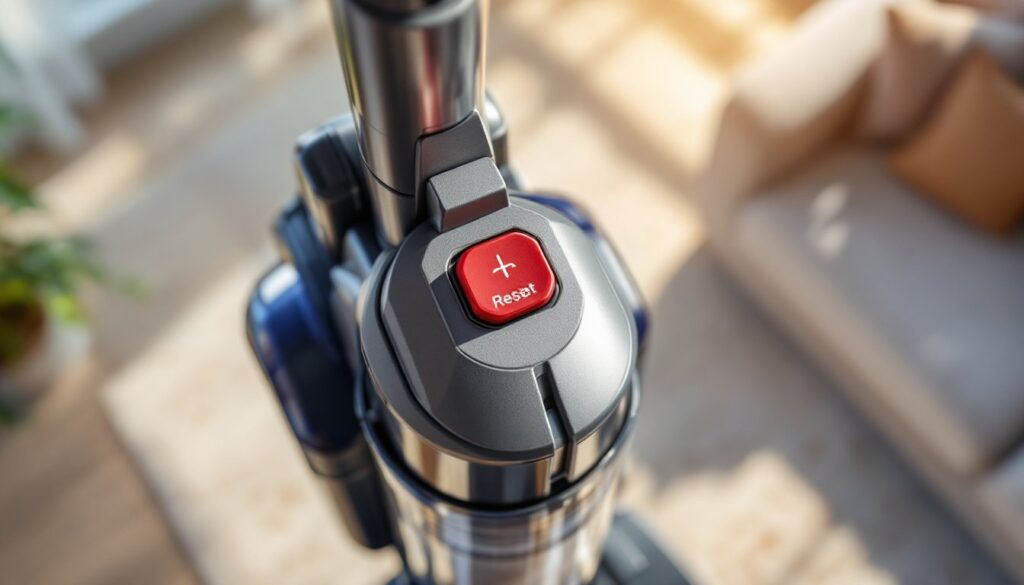
The reset button on your Shark Rotator is a thermal switch, not a mechanical on/off control. It’s designed to shut down the vacuum automatically when internal temperatures exceed safe operating limits. Think of it as a smoke detector for your motor, it detects danger before catastrophic failure happens.
Locating your reset button depends on your specific Shark Rotator model. Most commonly, you’ll find it on the motor housing itself, usually a red or black button positioned near the dust cup or motor head. Check your user manual for the exact location, as button placement varies between the Rotator upright, cordless, and pet-hair models.
When the reset button trips, the vacuum powers down completely. Pressing it back in restores power, but the underlying cause of overheating still exists. That’s why simply resetting and resuming isn’t a long-term fix, you’re treating the symptom, not the problem.
When and Why Your Reset Button Trips
Your Shark Rotator’s reset button trips when internal motor temperatures climb too high. This happens for specific, preventable reasons. Identifying which one applies to your situation is the first step toward a permanent fix.
Common Triggers for Overheating
A clogged filter is the number-one culprit. When the filter traps debris to the point where airflow becomes restricted, the motor works harder to pull air through, generating excessive heat. This is why Shark’s manual recommends checking and rinsing the filter every 30 days under normal use, more often if you have pets or a dusty home.
Blocked air pathways throughout the vacuum cause the same problem. Debris can jam the brush roll, stuff the air ducts, or clog the intake ports. When air can’t circulate freely, the motor temperature spikes. Inspect the entire airflow path: brush roll housing, transparent dust cup, connection ports, and hose.
A worn or damaged brush roll forces the motor to work harder, generating heat. If bristles are matted, split, or filled with hair wrapped around the shaft, the roll can’t spin efficiently. Replace the brush roll if it’s damaged rather than trying to coax more life out of it.
Ambient temperature matters too. Running your Shark in a hot garage, attic, or sun-exposed room on a summer day strains the motor. The motor runs at the same RPM regardless of outside temperature, but cooling efficiency drops in hot environments.
Extended runtime without breaks can trip the reset on older or heavily-used machines. Unlike commercial equipment designed for continuous operation, most residential vacuums benefit from a 15-30 minute cooling period after an hour of heavy use.
Step-by-Step Guide to Resetting Your Vacuum
Once your Shark Rotator trips its reset button, follow this process to safely get it running again and address the root cause.
1. Turn off the vacuum immediately. If it’s still running, unplug it from the wall outlet. Do not attempt to reset a plugged-in unit.
2. Let it cool for 30-45 minutes. This is critical. The motor is hot enough to have triggered the thermal switch, and pressing reset while it’s still hot risks immediate re-tripping or motor damage. Leave it unplugged and undisturbed during this cooling period.
3. Check and clean the filter. While the motor cools, access the filter (usually located on the dust cup assembly). Rinse it under lukewarm running water, then tap it gently against a sink to release trapped dust. Let it air-dry completely, at least 2 hours, or overnight is better. A wet filter triggers the reset immediately.
4. Inspect the brush roll and clear any blockages. Flip the vacuum over and look at the rotating brush bar. Remove any hair, string, or debris wound around it. Check the brush roll housing and air intake ports for clogs. A vacuum handheld attachment or compressed air helps dislodge stubborn debris.
5. Empty the dust cup fully. Even if it doesn’t look full, empty it. A partially full cup restricts airflow more than you’d expect. Rinse the cup if visible dust coating remains inside.
6. Reassemble everything carefully. Make sure the filter is completely dry before reinstalling it. Ensure the dust cup is seated properly and the brush roll spins freely by hand before plugging in.
7. Press the reset button firmly. The button should click and seat into place. If it won’t stay pressed, the unit may be too hot still, or there’s an electrical issue.
8. Plug in and test on a short, low-pile surface. Don’t immediately tackle your entire carpet. Run the vacuum for 2-3 minutes in a small area to confirm it stays powered. If it resets again, unplug immediately and address the next possible cause before attempting another reset.
Maintenance Tips to Prevent Reset Issues
Prevention is far easier than troubleshooting. A well-maintained Shark Rotator rarely trips its reset button.
Establish a monthly filter maintenance routine. Rinse the filter under running water every 30 days, or every 2 weeks if you have pets. A clean filter is the single most important factor in preventing overheating. According to Good Housekeeping’s appliance testing, vacuum filters lose efficiency rapidly when clogged, pushing motors to work 40% harder.
Empty the dust cup when it reaches the fill line, not when it’s completely full. Overfilled cups choke airflow. A full cup means the motor is already working harder than designed. Empty it at 75% capacity to give the motor room to breathe.
Clear the brush roll weekly if you have pets or long hair. Hair wraps around the brush shaft and builds up fast. Remove it by hand or with scissors. Check the brush housing for packed debris too.
Inspect air ducts and connection points monthly. Detach the hose and look through it toward light, you should see light clearly from end to end. If it’s blocked, use a plumbing snake or straightened coat hanger to dislodge debris. Check connection ports where the hose attaches to the main unit and dust cup. Debris can lodge there and go unnoticed.
Replace the brush roll every 6-12 months depending on use. Even with regular cleaning, bristles wear out and become less efficient. Popular Mechanics workshop guides recommend replacing brushes on upright vacuums annually in high-traffic homes. A worn brush forces the motor to compensate, generating heat.
Avoid running the vacuum continuously for more than an hour. Take a break, let it cool, and resume. This simple habit extends motor life and prevents reset trips from extended runtime.
Store the vacuum in a cool, dry location. Basements, garages, and outdoor sheds expose the vacuum to temperature extremes and moisture. Store it indoors at room temperature when not in use.
When to Call a Professional
If you’ve addressed every maintenance issue and the reset button still trips, a deeper problem exists. A professional technician or the manufacturer’s service line can help in these situations.
The reset button trips after just 5-10 minutes of running, even with a clean filter and cleared blockages. This suggests an internal motor or wiring fault. Today’s Homeowner maintenance checklists recommend professional inspection for appliances that fail basic troubleshooting, as DIY fixes can void warranties.
The reset button won’t stay pressed in, or it pops out immediately after you press it. This indicates a mechanical or electrical failure in the switch itself, not a thermal issue. Replacing this component requires opening the motor housing, which most homeowners shouldn’t attempt.
You smell burning plastic or see smoke. Stop immediately and unplug the unit. This signals internal electrical damage. Don’t attempt a reset. Contact Shark’s customer service or a repair shop.
Your vacuum is still under warranty. Before spending money on repairs, call Shark’s support line or visit an authorized service center. Warranty coverage often includes motor repairs and may be free or low-cost. Attempting repairs yourself can void the warranty.
Most Shark Rotators last 5-8 years with proper maintenance. If yours is older and repair costs approach 50% of the replacement price, buying a new unit often makes more financial sense than pursuing repairs.
Conclusion
Your Shark Rotator’s reset button isn’t a flaw, it’s a protection system working as designed. Most reset issues stem from preventable maintenance oversights: clogged filters, full dust cups, and debris-choked air pathways. By establishing a simple monthly cleaning routine and clearing blockages promptly, you’ll avoid nearly all reset problems. When resets do occur, follow the cooling-and-inspection process methodically rather than repeatedly pressing reset hoping the issue disappears. Your vacuum will thank you with years of reliable performance.