Table of Contents
ToggleIf you’re spending eight hours a day at a desk, why settle for a cramped, single-surface setup? An L-shaped standing desk combines ample workspace with the health benefits of height adjustment, letting you alternate between sitting and standing throughout the workday. Whether you’re juggling a laptop, monitor, and paperwork, or you need dedicated zones for different tasks, an L-shaped desk handles the load better than traditional rectangular designs. This guide walks you through choosing, setting up, and optimizing an L-shaped standing desk for your home office.
Key Takeaways
- An L-shaped standing desk maximizes corner space with dual work zones, allowing you to dedicate separate areas for your computer setup and reference materials while reducing visual clutter.
- Dual-motor systems with memory presets ensure smooth height adjustments between 28 to 48 inches, enabling you to alternate sitting and standing positions every hour or two for improved circulation and posture.
- Verify the frame’s weight capacity (200 pounds minimum recommended) separately from desktop material, as motors cannot magically support loads beyond their rating regardless of top thickness.
- Solid wood or hardwood veneer tops cost 30 to 50 percent more than laminate but prevent sagging under heavy point loads and justify the investment for active home offices with dual monitors and equipment.
- Save 40 to 50 percent by purchasing second-hand L-shaped standing desks from marketplace sites and swapping the top with fresh laminate, or build a fully customized desk yourself for 30 to 40 percent savings using affordable motor kits.
- Position your primary monitor 24 to 30 inches from your eyes at or below eye level, add a side-mounted adjustable lamp opposite the screen to minimize glare, and route all cables through desk grommets with Velcro straps to keep your workspace organized as the desktop moves.
Why L-Shaped Standing Desks Are Ideal for Home Offices
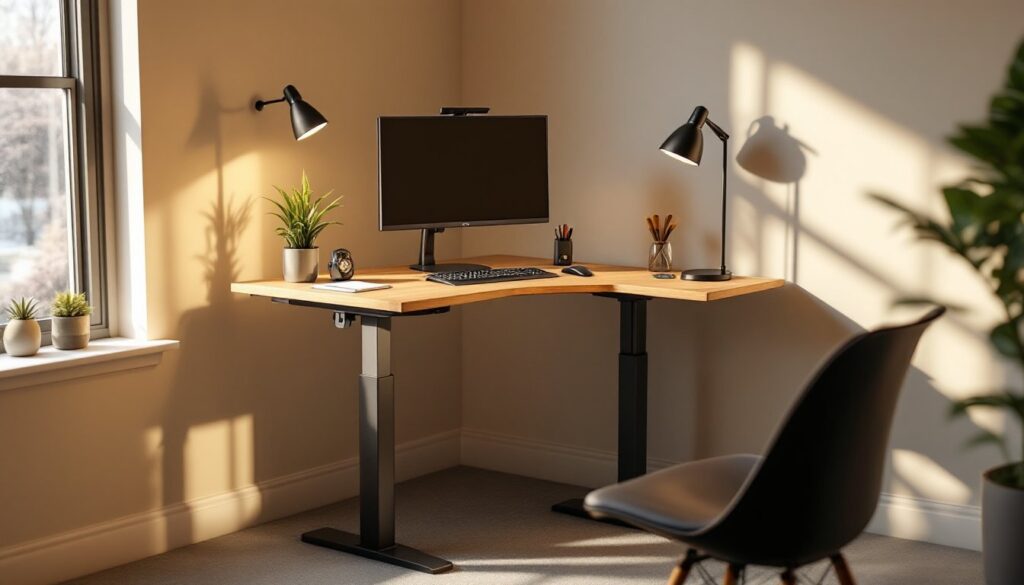
An L-shaped standing desk gives you corner workspace that breaks into two perpendicular work surfaces, usually spanning 60 inches across and 30 inches deep on each leg. This layout lets you dedicate one section to your computer setup and the other to reference materials, a second monitor, or a separate task, all within arm’s reach without reaching across a full desktop.
The standing desk aspect matters just as much. Research consistently shows that prolonged sitting increases risk of cardiovascular strain and poor posture. A desk that adjusts from roughly 30 inches (sitting) to 48 inches (standing) lets you shift positions every hour or two, engaging different muscle groups and boosting circulation. You’re not locked into one posture all day.
Home office corners are often dead space. An L-shaped desk uses them efficiently, tucking into the angle of two walls and freeing up floor area compared to a sprawling rectangular desk. Plus, the two-zone layout reduces the mental clutter of a single open surface, you can leave your video call setup on one side while keeping your writing or design work on the other.
Key Features to Look For When Choosing Your Desk
Height Adjustability and Motor Quality
Not all standing desk mechanisms are equal. Electric motors with memory presets let you program two or three sitting and standing heights, so you hit the same spot every time without fiddling with a manual crank. Look for desks with dual-motor systems, one motor per leg, which distribute the load evenly and prevent the desktop from tilting as it rises or falls.
The motor should raise a loaded desktop (let’s say 80 to 100 pounds) smoothly over 10 to 15 seconds. If it’s sluggish or jerky, you’ll skip the standing cycle just because the transition annoys you. Check the noise level too: a whirring motor that sounds like a tiny helicopter will wear on you by week two.
Height range matters. The desk should drop low enough for shorter users (28 inches is a good minimum) and rise high enough for taller users (46 inches minimum, 48 inches ideal). Most people find 28 to 48 inches covers the bases for most home office workers.
Surface Material and Weight Capacity
Laminated particle board is the budget standard. It’s lightweight, easy to clean, and comes in dozens of finishes. The downside: it sags under heavy point loads (like a monitor arm bolted in one spot). A 48-inch span with laminate should handle 120 to 150 pounds total: add more and you risk deflection over time.
Solid wood or hardwood veneer tops are stiffer and look professional, but they cost 30 to 50 percent more. They’ll handle 200+ pounds without visible flex. If you’re running dual 32-inch monitors, a full setup of equipment, and stacks of reference books, a solid or veneered top pays off in longevity.
Always verify the weight capacity of the frame, not just the desktop material. A motor system rated for 150 pounds can’t magically support 250 pounds just because you glued a thicker top to it. Check the spec sheet and add up your actual load: monitors, arms, keyboard, mouse, a lamp, books, it adds up faster than you’d think. A load rating of 200 pounds minimum is reasonable for an active home office.
Edge detail and cable management matter more than they sound. Rounded edges prevent your wrists from constant contact with sharp corners during the work day, and desks with built-in cable troughs or grommets keep power cords and USB lines from tangling around your legs as the surface moves up and down.
Designing Your Home Office Layout With an L-Shaped Desk
Start with your monitor placement. On the main leg of the L (usually the longest section), position your primary monitor 24 to 30 inches from your eyes, with the top of the screen at or slightly below eye level when seated. This reduces neck strain. A secondary monitor goes on the shorter leg, angled slightly inward so you’re not constantly twisting.
The corner of the L becomes your secondary work zone. Some people put a printer there, others use it for note-taking, sketching, or a second keyboard and mouse for a different computer. Whatever you choose, keep it uncluttered: a workspace crammed into every inch becomes visually exhausting.
Lighting is critical. A desk lamp with an adjustable arm works better than overhead lights alone, which cast your own shadow on the work surface. Position the lamp to the side opposite your monitor to minimize glare on the screen. If your desk sits perpendicular to a window, great, you get natural light, but close the blinds during video calls to avoid backlit silhouettes.
Cable runs deserve thought before assembly. Modern desks include grommets (rubber-lined holes) for routing power and USB lines. Thread cables through the grommet and down the leg, securing them with Velcro straps every 12 inches so they don’t flop around as the desk moves. A power strip mounted under the desktop on a sticky backing keeps outlets within reach without a tangle of loose cords.
Alternatively, many DIY builders find that open-source desk plans with plywood and 2x4s offer cost savings and customization that pre-built desks don’t. If you’ve got basic woodworking skills, building from proven plans gives you exact dimensions for your space and lets you choose your own finish and hardware.
Budget-Friendly Tips for Installation and Setup
If buying a pre-built desk, assembly is straightforward but time-consuming. Expect two to three hours with a second pair of hands. You’ll need a Phillips head screwdriver (a cordless drill is faster), a level, and possibly an Allen wrench set for bolts. Lay the legs and frame on a clean floor, then bolt the cross-supports before flipping the assembly upright with help. Rushing this step or skipping the level check leads to a wobbly or tilting desktop that worsens over time.
Before you plug in the motor, test the height adjustment slowly through its full range without any load. This catches manufacturing defects early. Then add your equipment gradually, monitor first, then keyboard, then the extra peripherals, and test again. Some desks will hum or buzz at certain heights due to resonance: slight adjustments to cable routing often fix this.
Second-hand standing desks pop up regularly on Facebook Marketplace or local estate sales. A used frame with a functioning motor, even if the top is scratched, often runs 40 to 50 percent less than new. Swap the desktop for a fresh piece of laminate or plywood (a local lumber yard or big-box store will cut to size), and you’ve got nearly a new desk for half the price. Just verify the motor works before you buy, a broken motor isn’t worth the “deal.”
If you’re a confident woodworker or carpenter, detailed woodworking tutorials and comprehensive building guides walk you through sourcing your own desktop materials, building a frame, and integrating an affordable electric motor kit. This route takes longer but costs 30 to 40 percent less and gives you a fully customized workspace. You control the color, thickness, and finish, and you’ll use it with pride knowing you built it yourself.
Conclusion
An L-shaped standing desk is an investment in your productivity, posture, and workspace efficiency. Prioritize a solid motor with memory presets, verify the weight capacity matches your actual load, and choose a top material that won’t sag under your equipment. Whether you buy new, hunt used, or build from scratch, thoughtful layout and proper setup make the difference between a desk you love using and one that becomes another corner of regret. Your home office, and your back, will thank you.