Table of Contents
ToggleThe Wyze Video Doorbell V2 has quietly become one of the most practical smart doorbell upgrades for DIY homeowners on a budget. If you’re tired of not knowing who’s at your door, or paying premium prices for basic doorbell cameras, this one deserves a closer look. Unlike pricey competitors, the V2 delivers solid 1080p video, smart motion alerts, and two-way audio without the contractor markups. Whether you’re protecting your front entry, monitoring package deliveries, or just staying connected while you’re away, the Wyze Video Doorbell V2 offers the features that matter at a fraction of the cost. Let’s break down what makes it a smart choice for 2026.
Key Takeaways
- The Wyze Video Doorbell V2 delivers 1080p dual-camera performance at $59–$79, making it a budget-friendly alternative to premium doorbells that cost over $200.
- Installation flexibility allows you to choose between hardwired and battery-powered options, with battery life lasting 2–3 months depending on motion activity.
- Dual 1080p cameras with a wide-angle (160 degrees) and standard lens provide complete front-door visibility to identify faces and read package labels.
- Smart motion detection alerts are customizable by zone and sensitivity, reducing false alerts from passing cars or street traffic while catching actual visitors.
- Two-way audio with noise-canceling microphones enables real-time conversations with delivery drivers and guests, with latency under one second.
- Passive infrared night vision avoids bright spotlights that disturb neighbors, though it produces slightly grainy monochrome footage in complete darkness.
Overview and Key Features of the Wyze Video Doorbell V2
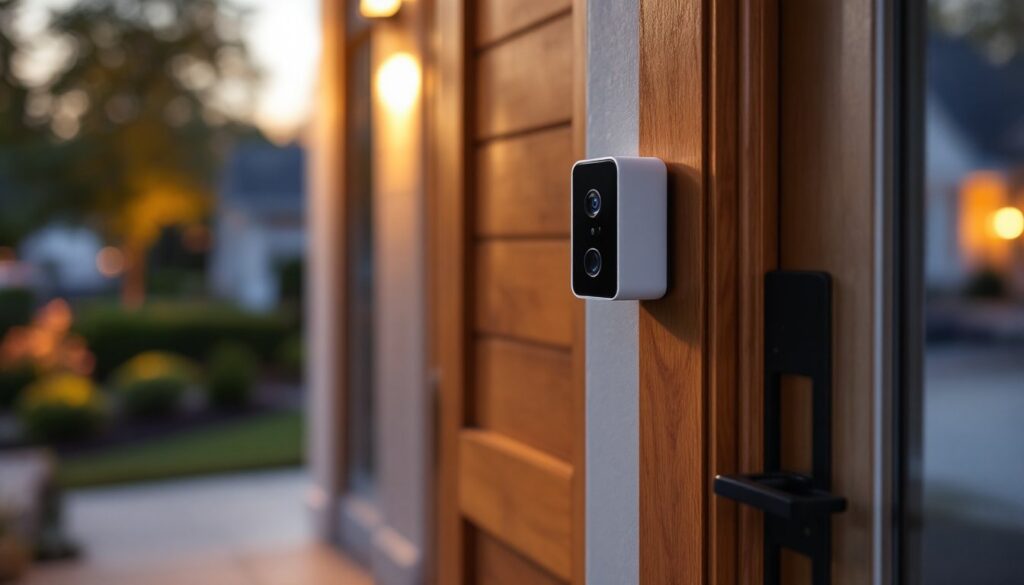
The Wyze Video Doorbell V2 is a compact, dual-camera smart doorbell designed to give homeowners a complete view of their front door and surrounding area. Unlike single-camera competitors, the V2 includes a wide-angle and standard lens, so you don’t miss details at the edges of your porch or driveway. It captures 1080p video at 30 fps, which is sharp enough to identify faces and read package labels without grainy footage.
The doorbell works in two installation modes: hardwired to your existing chime system or battery-powered. This flexibility makes it appealing whether your home has an old doorbell transformer or you prefer the simplicity of a rechargeable battery. Night vision uses passive infrared technology, meaning it detects motion and switches to night mode without relying on a bright spotlight that some neighbors find intrusive.
You control everything from the Wyze mobile app, which sends push notifications when motion is detected or someone presses the doorbell. The app also stores footage locally via a microSD card (sold separately) or uses Wyze cloud storage for redundancy. Recent doorbell reviews from professional outlets highlight the V2’s impressive feature set for the price point, especially the dual-camera system that was a major upgrade from the original V1.
Installation and Setup for DIY Homeowners
Wired vs. Battery Installation Options
The Wyze Video Doorbell V2 installation path depends on your home’s existing doorbell setup. If you have a traditional chime with a low-voltage transformer (usually 16–24 volts AC), the wired option is cleaner and means you never worry about battery life. Hardwired installation requires you to turn off power at your breaker, disconnect the old doorbell, and connect the doorbell’s terminals to your existing transformer wires using the included wire connectors.
The battery option suits homes without an existing doorbell or where running wires to your door isn’t practical. The rechargeable battery lasts 2–3 months depending on motion activity and temperature. You’ll need a Phillips head screwdriver and a drill with a 1/2-inch bit to mount the backing plate to your door frame. Use 3-inch screws rated for your material (wood, metal, or composite). Always pre-drill pilot holes to avoid splitting the frame.
Before installation, confirm your mounting surface. The doorbell works on wood, composite, or metal frames, but avoid mounting directly on vinyl siding, cut it back and install the backing plate on solid framing underneath. Check local building codes: some jurisdictions require permits for security camera installation, especially on rental properties. Wire the device according to the manual, double-check polarity, and test the chime inside before closing up the wall.
Setup is straightforward: download the Wyze app, scan the QR code on the doorbell, connect it to your 2.4 GHz Wi-Fi network (the V2 doesn’t support 5 GHz), and name your device. The entire process takes about 10 minutes. Position your phone near the doorbell during setup so the signal is strong: weak Wi-Fi during pairing is the most common setup hiccup.
Video Quality and Night Vision Performance
Video quality is where the Wyze Video Doorbell V2 earns its reputation. The dual 1080p cameras capture crisp daytime footage with accurate color reproduction and minimal distortion. The wide-angle lens (about 160 degrees) shows the full porch, while the standard lens provides a tighter, more zoomed perspective for detail. Switching between the two views in the app is instant and useful when you need to identify who’s at your door or verify a package.
Night vision relies on passive infrared detection and low-light sensors rather than a motion-triggered LED spotlight. This approach is neighborly, you won’t blind anyone with a bright light at 11 p.m., but the trade-off is slightly grainy monochrome footage in complete darkness. But, it’s sharp enough to recognize familiar faces and detect movement. If you prefer a brighter solution, consider adding a separate outdoor lighting fixture with a motion sensor: the doorbell will still perform, and the extra light improves overall visibility.
Frame rate and bitrate settings are adjustable in the app. Lowering bitrate saves data if you’re on a metered Wi-Fi plan, but you’ll notice softer video. For most homeowners, the defaults work well. Wyze claims 30 fps continuous recording (with a paid plan), though real-world performance depends on your internet connection and server load. Professional testing from Tom’s Guide confirms the V2 delivers consistent, usable footage across various lighting conditions without the flicker or color-shift issues present in cheaper competitors.
Smart Features and Mobile App Integration
Two-Way Audio and Motion Detection Alerts
The two-way audio on the Wyze Video Doorbell V2 uses noise-cancelling microphones to reduce wind noise and ambient sound. You can speak to delivery drivers, guests, or unexpected visitors directly from your phone, useful if you’re at work and want to redirect a package or have a quick conversation. Audio latency is typically under one second, so it feels like a real conversation, not a walkie-talkie delay. Test audio quality in different weather conditions (wind affects performance), and remember that neighbors may hear your responses if you’re not mindful.
Motion detection alerts are where the V2 shines for security. The doorbell detects movement across the frame and sends immediate notifications to your phone. You can customize detection zones so the doorbell ignores motion from the street or your mailbox, reducing alert fatigue. Sensitivity is adjustable in the app, set it too high and you’ll get alerts from every passing car: too low and you might miss actual visitors.
The app itself is intuitive. It displays a live preview of both camera feeds, recording status, and battery level if you’re using the battery-powered option. You can set recording schedules (record only between 5 p.m. and midnight, for example) to save storage. Cloud storage requires a Wyze Cam Plus subscription ($1.99/month for one camera), which includes 14-day cloud backup and AI-powered person detection (distinguishes between people and animals). Without a subscription, you’re limited to local microSD storage, which is fine for homeowners who check footage occasionally.
Integration with other smart home ecosystems is growing. The V2 works with Amazon Alexa (view the doorbell feed on Echo Show devices) and Google Home, though support is more limited than with some premium competitors. If your smart home is heavily invested in one ecosystem, verify compatibility before purchasing.
Pricing and Value Comparison
The Wyze Video Doorbell V2 typically costs $59–$79 depending on sales and bundles (wired and battery versions are similarly priced). For perspective, premium competitors like Ring Video Doorbell Pro and Logitech Circle View start at $200+. You’re looking at roughly one-third the cost for a doorbell that handles the essential tasks: seeing who’s at your door, getting motion alerts, and reviewing footage.
The trade-offs are real. Premium doorbells offer 2K resolution (versus the V2’s 1080p), faster frame rates, and tighter integration with security systems. They often include professional installation and support. The Wyze V2 assumes you’re comfortable with a DIY setup and are fine with standard-definition video, which, honestly, is sufficient for most homeowners. Digital Trends’ coverage notes that the V2’s package detection (via AI, with a paid plan) rivals more expensive models.
Subscription costs matter over time. Wyze Cam Plus is $1.99/month (about $24/year), while Ring’s Protect Basic plan is $3.99/month or $39/year. Over five years, a Wyze doorbell with a subscription costs roughly $200 total: a Ring doorbell costs $400+. For renters or homeowners in transitional phases, the Wyze V2’s low entry price means less financial commitment if you upgrade later.
Budget-conscious homeowners should also factor in the optional microSD card for local storage (Wyze recommends a 32 GB, U3-rated card: expect $10–$20) and potential wall repairs or paint touch-ups after installation.