Table of Contents
ToggleSecurity shouldn’t require a degree in electrical work or a monthly service contract. If you’ve been eyeing a Wyze solar camera for your home but aren’t sure whether it’s the right fit, you’re not alone. This smart camera combines affordable pricing with practical features that appeal to homeowners tired of complicated setups and dead battery cycles. In this guide, we’ll walk through what makes the Wyze solar camera tick, how it stacks up against other options, and whether it belongs on your property.
Key Takeaways
- The Wyze solar camera combines a rechargeable battery with a solar panel to provide year-round outdoor surveillance without manual charging or electrical wiring required.
- Wyze solar cameras deliver 1080p to 2K video quality with automatic night vision and motion detection, rated IP65 weatherproof for climates ranging from -4°F to 122°F.
- Installation is DIY-friendly and requires only 10 minutes for camera mounting plus solar panel positioning toward the sun for 4–6 hours of daily direct sunlight.
- Wyze solar cameras cost less than competitors like Ring and Reolink while offering free basic cloud storage and local microSD backup, eliminating mandatory subscription requirements.
- The camera works best in locations with adequate sunlight (4–6 hours daily) and stable WiFi connectivity; it records on motion detection rather than 24/7, which conserves battery and storage.
What Is the Wyze Solar Camera and How Does It Work?
The Wyze solar camera is an outdoor surveillance device powered by a rechargeable battery paired with a solar panel. Unlike traditional wired cameras that require running electrical conduit through walls or outlets, or battery-only models that need monthly charging trips on a ladder, the solar setup keeps your camera running year-round without manual intervention.
Here’s how it works in practice: The camera records video during the day and uses available sunlight to trickle-charge its internal battery. On cloudy days or in shade, it drains the battery slower than a plug-in would. At night, it switches to night vision and consumes battery power until dawn arrives and the solar panel resumes charging. It’s a straightforward concept that eliminates the “dead camera” problem many homeowners face.
Wyze offers solar options compatible with several of their camera models. The solar panel itself is a small, weatherproof module with an integrated two-stage charging system, meaning it charges more efficiently than older solar panels. You mount it near your camera with a simple bracket, position it toward the sun, and let it do its job. No electrician required.
Key Features and Specifications You Need to Know
Wyze solar cameras pack practical features without the premium price tag of competitors. Most models include 1080p or 2K resolution depending on the version, two-way audio for talking through the camera, and motion detection with configurable zones. You get cloud storage options (some free days included, paid plans available) and local storage via microSD card, a smart backup if your internet drops.
The cameras are rated IP65 weatherproof, meaning they handle rain, dust, and temperature swings from roughly -4°F to 122°F. That covers most U.S. climates, though if you’re in an extreme-cold region, you may want to check your specific model’s cold-weather performance.
One practical detail: The solar panel produces enough power to sustain the camera indefinitely in average sunlight, but placement matters. A north-facing wall in Minnesota won’t perform like a south-facing mount in Texas. Wyze estimates full recharge in 3–5 hours of direct sun under normal conditions.
Video Quality and Night Vision Performance
Video quality determines whether you can actually identify someone at your door or only see a blurry shadow. Wyze solar cameras deliver crisp daytime footage with good color saturation and reasonable detail out to about 20 feet. At night, the infrared night vision kicks in automatically and shows black-and-white video that’s sharp enough for security purposes. Some newer models include color night vision, which uses ambient light (streetlamps, porch lights) to capture color detail after dark, a real advantage over standard IR-only cameras.
Frame rate holds steady at 20 fps on most models, which is adequate for security footage but not sports-broadcast smooth. If motion detection triggers recording, the camera captures 12 seconds of footage by default (configurable) and uploads it to the cloud or stores it locally. In practice, this is enough to identify what triggered the alert without eating up storage space.
Installation and Setup Process for DIY Homeowners
Setup is where Wyze earns its reputation for user-friendliness. You don’t need running power nearby, conduit routing, or an electrician. Here’s the real-world process:
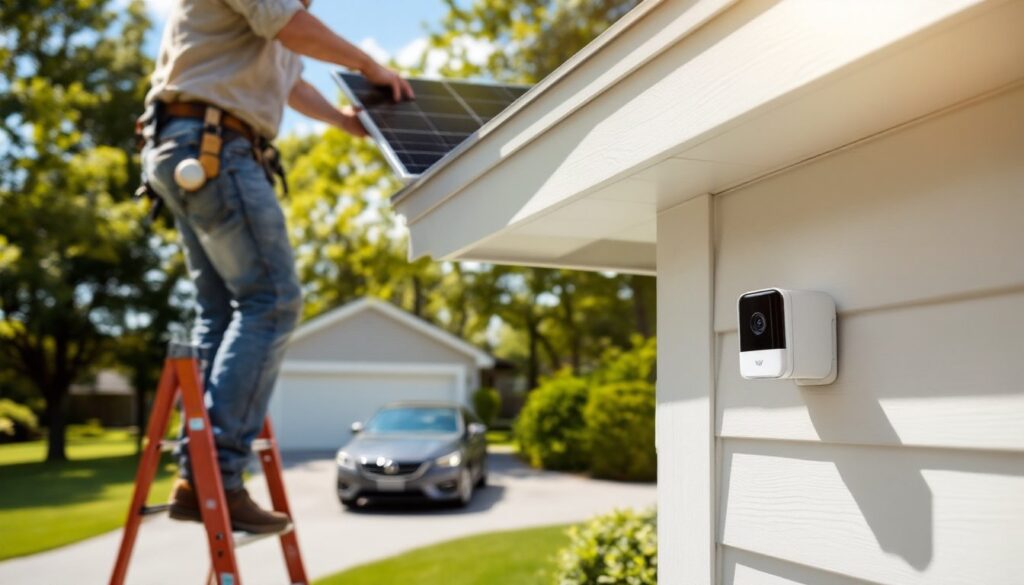
Mounting the Camera: Choose a location with clear sightlines to your area of interest, your driveway, porch, or side yard. Wyze includes a weatherproof wall bracket and mounting screws rated for concrete, wood, and vinyl siding. Drill holes, screw the bracket to your wall, and slide the camera into place. Use a level to ensure the camera isn’t tilted. Total time: 10 minutes.
Positioning the Solar Panel: This step matters most. Mount the panel on the same wall as the camera or on nearby roofing (if you’re comfortable on a ladder), positioned to face south in the Northern Hemisphere. Angle it to catch direct sunlight for 4–6 hours daily. Wyze supplies a separate bracket for this: many DIYers secure it with a small roof-mount kit or adhesive backing if drilling isn’t an option.
Powering On and Connecting: Charge the camera battery fully before first use (USB-C port, 2-3 hours). Download the Wyze app, add a new device, and follow the on-screen prompts. Connect the camera to your WiFi network, standard 2.4GHz or 5GHz. Most connections succeed on the first try, though older routers sometimes need a restart. No cloud account required (though one is recommended for backup footage).
Safety Notes: Wear work gloves and safety glasses when drilling mounting holes. If using a ladder to position the solar panel on a roof or high eave, use fall protection and never work alone. Keep the solar panel clear of debris and obstructions to maintain charge efficiency.
Comparing Wyze Solar Camera to Other Options
You’ve got choices in the solar security camera market. Understanding the trade-offs helps you decide if Wyze fits your needs.
Wyze vs. Ring Solar: Ring’s solar cameras integrate seamlessly if you already own a Ring doorbell or ecosystem, but they cost more upfront (often $100–150 more) and require a Ring Protect subscription for cloud storage. Wyze offers free basic cloud storage and works independently. Ring has stronger brand recognition and support, while Wyze leans on community forums and email support.
Wyze vs. Reolink Solar: Reolink solar cameras deliver excellent image quality and often include more local storage options without mandatory subscriptions. But, they’re pricier and heavier to mount. Reviews from tech outlets like CNET detail the Wyze Cam Outdoor v2, highlighting its solar panel option for continuous power without draining batteries.
Wyze vs. Arlo Solar: Arlo emphasizes wireless convenience and works well in alar-plus ecosystems, but their base system requires a subscription for video storage. Wyze’s local storage option means you own your footage if you choose not to use the cloud.
The Verdict: If you want an affordable entry point with zero subscription pressure, Wyze wins. If you’re already invested in a smart home ecosystem (Amazon, Google, Apple) and don’t mind a subscription, Ring or Arlo might feel more integrated. For pure bang-per-buck and flexibility, the Wyze Cam v4 review discusses compatibility with Wyze solar panels and feature depth that justifies the lower price point. Performance benchmarks from Wyze Cam v3 detailed review examine color night vision, weatherproof design, and overall reliability in long-term use.
Is the Wyze Solar Camera Right for Your Home?
Before you buy, ask yourself these practical questions:
Do you have adequate sunlight? Wyze solar cameras work best in locations that receive at least 4–6 hours of direct sun daily. If your chosen camera spot is shaded by trees or buildings most of the day, the battery will drain faster than the panel can recharge. You might still make it work with a longer solar panel cable (extending the panel to a sunnier spot), but that requires extra planning.
Is your WiFi strong? The camera needs a stable 2.4GHz signal. If your WiFi is weak at the mounting location, consider a WiFi extender or mesh system before installation. Weak connectivity leads to missed alerts and video lag.
Do you want cloud storage? Wyze’s free tier includes 14 days of cloud storage, but only if the camera subscribes you to a Wyze account. If you prefer local storage only, a microSD card (128GB recommended) handles weeks of footage. That’s how you avoid monthly fees entirely.
What’s your climate? Wyze cameras handle moderate climates well. In harsh winters (below -10°F), battery performance degrades. In scorching heat (above 110°F), the electronics may throttle performance. Know your extremes.
Do you need 24/7 recording? Wyze cameras record on motion detection, not continuously. If you need constant surveillance footage (rare for homeowners), a wired system makes more sense. For typical security, catching package thieves, monitoring the porch, watching the driveway, motion-triggered recording saves storage and battery life.
Conclusion
The Wyze solar camera solves a real problem: delivering security without batteries to swap, wires to run, or service contracts to manage. It won’t replace a professional security system for high-risk properties, but for most homeowners looking to monitor a porch, driveway, or backyard, it’s practical, affordable, and straightforward to install. Mount it, aim the solar panel at the sun, and let it work.