Table of Contents
ToggleWhen you’ve got a busy household, keeping floors clean becomes just another task competing for your time. The Shark AV2501S AI Ultra robot vacuum promises to eliminate that burden, it maps your home, learns traffic patterns, and cleans on a schedule you set. But is it worth the investment, and does it actually deliver on those AI promises? If you’re considering upgrading your cleaning routine or replacing an older robot vacuum, understanding what this model offers, how to set it up properly, and whether it fits your home’s needs will help you make a smart decision. Let’s walk through the details together.
Key Takeaways
- The Shark AV2501S AI Ultra uses advanced LiDAR navigation to map your home room-by-room and adapts its cleaning intensity based on traffic patterns and dirt levels in different areas.
- The self-emptying dustbin holds up to 30 days of debris, eliminating frequent filter changes, while the rubber brush roll design reduces pet hair tangles compared to standard bristle brushes.
- Proper setup is critical: charge fully, clear obstacles, run an initial mapping cycle, and set no-go zones through the app to maximize coverage and prevent navigation errors.
- This AI robot vacuum works best in homes between 500–2,000 square feet with 1–2 pets; skip it if you have stairs as primary flooring, severe shedding, or a home larger than 3,000 square feet.
- Regular maintenance—including monthly dustbin emptying, bi-weekly sensor cleaning, and brush roll replacement every 6–8 months—keeps the vacuum running efficiently for years.
What Makes The Shark AV2501S AI Ultra Stand Out From Other Robot Vacuums
Key Features That Define AI-Powered Cleaning Performance
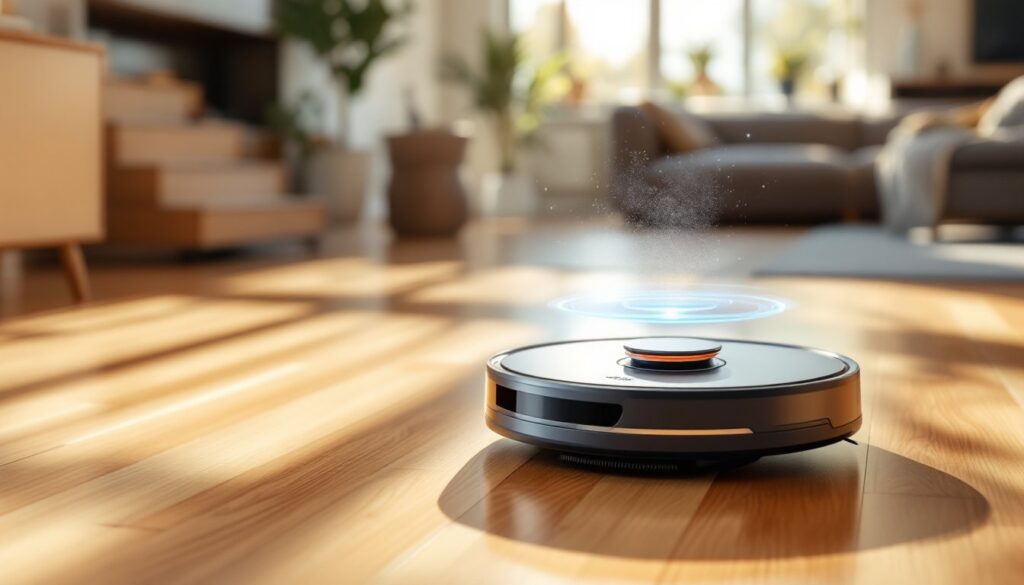
The Shark AV2501S AI Ultra uses advanced LiDAR navigation to scan your home and build precise room-by-room maps. Unlike basic bump-and-clean models that randomly bounce around, this vacuum understands your layout and optimizes routes to reduce cleaning time and energy waste. The self-emptying dustbin is a major convenience, the vacuum docks itself and empties debris into a larger disposal bin that holds up to 30 days of dirt, so you won’t be touching dusty filters constantly.
The AI learning piece is worth explaining. Over time, the vacuum adapts to your home’s patterns: it notices which rooms get dirtier, when foot traffic is heaviest, and adjusts its cleaning intensity accordingly. You control it all through the mobile app, setting schedules, creating no-go zones, or triggering spot cleaning when spills happen. The vacuum also integrates with voice assistants like Alexa and Google Home, letting you start cleaning without touching your phone.
Power-wise, the Shark AV2501S delivers strong suction on both hardwood and carpet. The rubber brush roll (not bristles) works well on pet hair, a design choice that reduces tangles compared to standard brushes. Battery life runs about 120 minutes on a full charge, which covers most standard homes on a single run. If your floor plan is larger than 1,500 square feet, the vacuum will return to base, recharge, and resume cleaning, no manual intervention needed.
Smart Navigation And Home Mapping Technology
The LiDAR system is the brain behind this vacuum’s smarts. It continuously scans your environment at 360 degrees, creating a detailed map with no wasted motion. This is different from camera-based or Wi-Fi sensing systems, which can struggle in low light or with reflective surfaces. The Shark’s laser approach works in darkness and handles glass, tile, and mirrors without confusion.
Once mapping is complete, the vacuum divides your home into defined zones. You can name these areas, “kitchen,” “bedroom,” “living room”, and assign different suction levels to each. If you have a small, cluttered home office that needs deeper cleaning than a main hallway, you can customize coverage per room. The app displays the map in real time, so you can see exactly where the vacuum has been and where it’s headed.
One practical benefit: the vacuum remembers your home’s layout even after it’s powered off and repositioned. If you move the dock to a different room, the Shark recalibrates and maintains its maps. Setup is straightforward, charge it fully, run an initial mapping cycle (usually 20–30 minutes), and then you’re ready to schedule regular runs. The app stores multiple maps, which is helpful if you move or have a vacation home. Many homeowners find that the smart navigation eliminates the stress of wondering if the robot covered everywhere or just spun in circles in one corner.
Setting Up And Optimizing Your Robot Vacuum For Maximum Coverage
Don’t just unbox the Shark and hit “clean.” A few setup steps make a huge difference in performance.
1. Charge fully before first use. The battery needs a complete charge, don’t assume the unit ships with enough juice to run a mapping cycle.
2. Clear obstacles from the floor. This isn’t optional. Remove toys, cords, small rugs, and pet bowls before the vacuum runs. Even items you think are fine can trip the sensors or tangle the brush. Robot vacuums aren’t as forgiving as you’d hope when it comes to clutter.
3. Run an initial mapping cycle. Let the vacuum explore your home without obstacles for at least one complete pass. This is where it builds its base map. Don’t interrupt or chase it around, just let it work.
4. Use the app to set no-go zones. Mark off areas where the vacuum shouldn’t go: stairs, your pet’s food and water area, electronics you don’t want bumped. The app interface makes this easy, just draw boundaries on the map.
5. Adjust suction levels per room. If you have mostly hardwood with one carpet area, set “Max” suction only for the carpeted zone to preserve battery life.
6. Establish a cleaning schedule. Most users find that running the vacuum 3–4 times per week maintains floors better than once-weekly deep cleans, especially in homes with pets or kids. Frequent light cleaning beats infrequent heavy work.
When positioning the dock, place it on hard flooring near a power outlet and away from high-traffic areas, the vacuum needs a clear exit path. Unlike some robot vacuums that can operate from any location, docking consistency matters for the self-emptying function to work properly.
Maintenance Tips To Keep Your Shark AV2501S Running Efficiently
The self-emptying feature reduces hands-on maintenance, but you still need a regular care routine to keep performance high.
Empty the main dustbin monthly. Even though debris goes into the larger disposal bag, the vacuum’s primary bin holds some dust and hair. If you don’t empty it, suction drops noticeably. It’s a 10-second job, but skipping it is a common mistake.
Clean the sensors and LiDAR unit. Dust and pet hair coat the sensors over time, which degrades navigation accuracy. Use a soft, dry cloth to gently wipe the sensors on the sides and bottom of the unit, and the circular LiDAR dome on top. Do this every 2–3 weeks if you have pets, monthly otherwise. Don’t use water or solvents, dry cleaning only.
Inspect and replace the brush roll every 6–8 months. The rubber roll is easy to remove (usually just a couple of clips). If you notice hair wrapped around the edges or reduced suction, replacement is simple and inexpensive. A clogged brush is one of the top reasons homeowners think their robot vacuum “stopped working.”
Check the disposal bag regularly. The system stores up to 30 days of debris, but if you have a large household or multiple pets, you might need to empty it more frequently. The app typically sends a notification when it’s full.
Keep the dock clean. Wipe the docking contacts (metal points) on both the vacuum and dock base with a dry cloth. Dirty contacts prevent proper charging and data sync.
These maintenance tasks take minimal time and dramatically extend the vacuum’s lifespan. Independent reviews from tech reviewers consistently note that Shark vacuums hold up well when users follow maintenance schedules.
Is The Shark AV2501S AI Ultra Right For Your Home
This vacuum shines in certain situations and may be overkill, or underwhelming, in others. Here’s how to evaluate fit.
Best for: Homes with 500–2,000 square feet, owners of 1–2 pets, and households where convenience trumps cost. If you hate vacuuming and have the budget, the 120-minute runtime and self-emptying dustbin mean you’ll actually use it regularly. The AI learning is a nice-to-have, but the real value is consistency, the Shark cleans thoroughly and on schedule.
Consider carefully if: You have severe pet hair shedding (multiple dogs or cats), lots of floor clutter, or stairs as your primary flooring. Robot vacuums don’t handle stairs, and heavy shedding can clog even rubber brush rolls faster than monthly maintenance can address. You’d need to do supplemental vacuuming.
Skip it if: Your home is smaller than 300 square feet (a standard upright is cheaper and faster) or larger than 3,000 square feet (battery life becomes limiting). Also skip if your budget is under $400, this isn’t a budget-tier vacuum, and cheaper alternatives exist, though they sacrifice the AI features and build quality.
Installation note: The Shark AV2501S doesn’t require professional installation, but placement of the dock matters. You’ll want an outlet on hard flooring with about 2 feet of clearance in front and 1.5 feet on each side. Plan where that goes before buying. Homes with frequent layout changes or very cluttered floors will frustrate with this model, the vacuum needs a stable environment to learn and optimize effectively.
Think of the Shark AV2501S as a long-term cleaning partner, not a one-time fix. The smart features make sense if you’ll let the vacuum run regularly and adjust settings as your home changes. Resources like Good Housekeeping’s appliance reviews and Digital Trends’ smart home guides provide additional testing and user feedback worth reading before committing.
Conclusion
The Shark AV2501S AI Ultra brings genuine convenience to home cleaning through smart mapping, self-emptying, and adaptive learning. It’s not perfect for every home, but for most mid-sized households with moderate shedding and realistic expectations, it delivers solid performance with minimal effort. Set it up correctly, stick to maintenance, and you’ll get several years of reliable service. If your schedule is hectic and you’re tired of pushing a vacuum around, this machine earns its place.